How to make a fake Telegram chat on iPhone and Android — no app
Looking for a “Fakegram APK”? Don’t download it: malware is spread under similar names. Fakegram opens right in your phone’s browser and inside Telegram.
- 242 screenshots downloaded this week
- No APK, no App Store
- Safari, Chrome and inside Telegram
- Add to your Home Screen
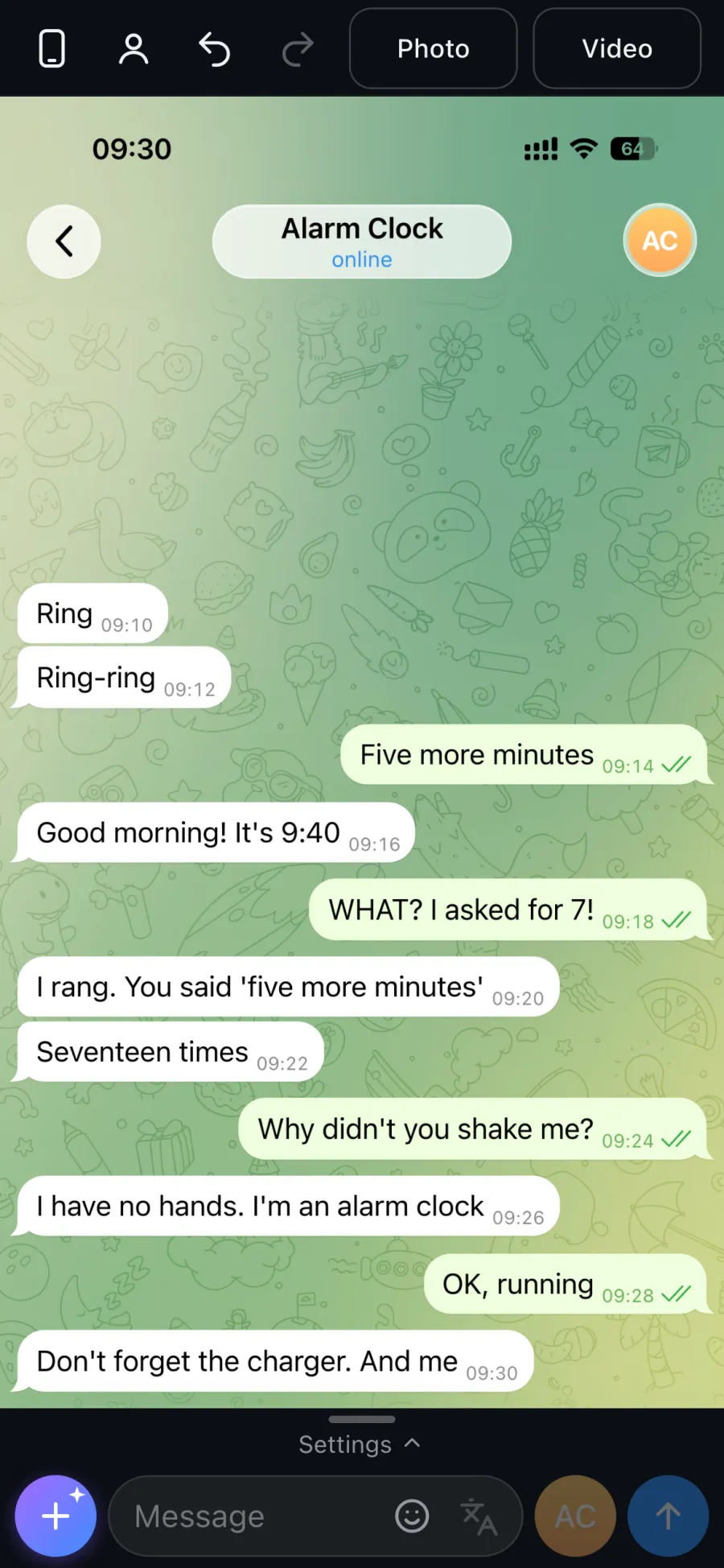
Fake Telegram chat on iPhone and Android: where to open it
| Where | How to open | Home Screen icon |
|---|---|---|
| iPhone | Safari or any browser: tg.fakegram.org | Share → Add to Home Screen → Add |
| Android | Chrome or any browser: tg.fakegram.org | menu (three dots) → Add to Home screen or Install app |
| Telegram | the mini app from the Fakegram bot, signs you in automatically | add it to your home screen, if your Telegram version supports it |
| Any phone | from the icon — full screen, like an app | in Fakegram: settings → More → Install the app, if your browser supports it |
You can record a chat video for TikTok and Reels from your phone too →
Fakegram has no APK
Fakegram is a website. It has no APK file and no app in the App Store or Google Play. If a site offers a “Fakegram APK”, do not install it: malware can be spread under similar names.
All you need is a browser or Telegram. Updates arrive on their own; there is nothing to install.
What the phone editor can do
- Messages are typed in the input bar at the bottom, like in a messenger: “from me” and “from the contact” are two buttons next to the field.
- Tap a message for actions: edit, switch side, move, delete, add a video pause.
- Chat settings — contact, header, status bar, theme and wallpaper — live in the slide-up panel.
- Emoji and message translation sit right by the input bar.
- Screenshots and videos are saved to the phone: on iPhone via the Share menu or the “Download?” prompt, on Android to Downloads, inside Telegram via its save dialog.
Common mistakes on a phone
- Downloading a “Fakegram APK”. There is no such file — malware is spread under that name.
- Taking a phone screenshot instead of tapping “Photo”. You capture the editor, not a clean chat, at lower quality.
- Expecting an Android-style screenshot. It always looks like Telegram on an iPhone, with the iOS status bar, whatever phone you use.
- Building a 50-message chat on a phone. Start a long one on a computer — after sign-in it opens on your phone too.
When a computer is easier
A long chat with dozens of messages and fine-tuning of the look are easier on a big screen. After signing in your chat, templates and contacts open on any device, so you can start on a computer and finish on your phone.
Acceptable use
Using the service for fraud, defamation, blackmail, pressuring or misleading people is prohibited. Do not present a generated chat as real or submit it as evidence. Do not use real people’s names or photos without their consent.
Full terms: fakegram.org/en/terms-of-use
FAQ
Will a screenshot from my phone match one from a computer?
Yes. The server draws the picture, so the screenshot is the same from any phone or computer — like Telegram on an iPhone.
Is there Fakegram for iPhone?
Yes, in Safari or in Telegram. There is no separate App Store app — add the site to your Home Screen and it opens like an app.
Where can I download Fakegram for Android?
There is nothing to download: open tg.fakegram.org in Chrome or open the mini app in Telegram. Fakegram has no APK file.
Can I record a chat video on my phone?
Yes. Recording runs in the phone’s browser and the file is saved as MP4. If the phone cannot handle the full frame size, the clip is recorded at 860×1864.
Do I need to sign in to try it?
No. You can build a chat and see the preview without signing in. Signing in is needed to download; the first watermark-free screenshot is on us.
Will the screenshot look like Android?
The screenshot looks like Telegram on an iPhone, with the iOS status bar. You can build it from any phone, Android included.